

ELBO AI Inc.
Puppetry: Revolutionizing AI-Generated Talking Videos
$2.99
⭐⭐⭐⭐ 4.5/5 Rating
Purpose: AI-driven creation of animated puppets and talking head videos
Initial Release: 2024
Latest Version: 4.9
Key Features & Capabilities
Studio-Quality Output
Generate professional-grade videos with high-resolution output (512x512px) that are suitable for marketing, education, and digital communication.
Rapid Video Generation
Puppetry enables you to create talking head videos in under 2 minutes. Simply upload a photo, input your script, and get professional results faster than traditional video production.
Voice Customization
Choose from 500+ pre-built AI voices, including ElevenLabs and OpenAI voices, to customize your avatar’s speech style and tone for an enhanced user experience.
AI-Powered Puppets
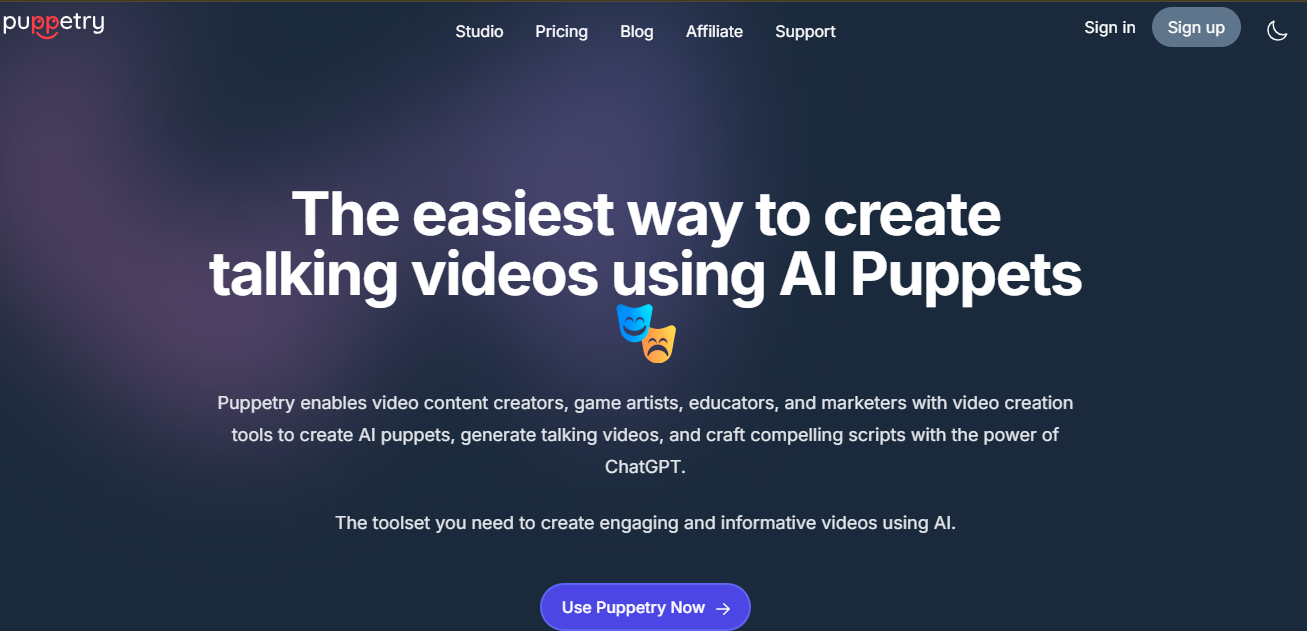
Puppetry allows users to create animated talking avatars by uploading a photo and providing a script. The AI generates lifelike facial animations, lip sync, and body language, making your avatars come alive.
Voice Cloning Technology
With just 30 seconds of recorded audio, Puppetry uses advanced neural voice synthesis to clone your voice and apply it to your avatars, offering a natural-sounding speech output in over 15 languages.
Multi-Language Support
Create videos in more than 29 languages with native-quality pronunciation and natural speech patterns, including English, Spanish, French, German, Chinese, and Arabic.
Testing Synthesia AI: Real Feedback from Our Team
Our team explored Puppetry to create talking head videos and assess its capabilities for various content creation needs. Here’s a breakdown of our findings:
- Ease of Use:
The platform is user-friendly, with a simple interface that allows users to quickly upload images, generate voiceovers, and produce animated videos. The process is intuitive, even for users with no prior video editing experience. - Voice Cloning and AI-Generated Voiceovers:
The voice cloning feature impressed us with its accuracy. Uploading voice samples and generating custom voiceovers was smooth, and the AI-generated voices were natural and expressive. This feature is particularly useful for personalized content. - Video Quality:
The quality of the talking head videos was impressive. The avatar animations were fluid, and the voice synced well with the movement of the lips, making the video feel realistic. However, there were occasional inconsistencies with more complex animations, such as facial expressions. - Customization Options:
We appreciated the ability to customize the avatars and backgrounds to match the tone and style of our content. The limited avatar selection in the free plan might be restrictive for some, but the premium options offer a wider range of choices. - Multilingual Support:
The multilingual capabilities were a standout feature, allowing us to create videos in various languages. The AI voice worked well across different accents and languages, making it a great tool for global content creation. - Speed and Efficiency:
The platform processed video requests relatively quickly. Rendering times were short for basic videos, though longer and more complex projects took a bit more time.
Performance Analysis
User Experience (UX)
Setup & Installation
Puppetry is a cloud-based platform, meaning no installation is required. Users can sign up, log in, and start creating videos immediately.
Ease of Use (4.5/5)
The tool is designed with a user-friendly interface, making it easy for creators of all skill levels to animate avatars and create videos.
Interface Design
The interface is clean, intuitive, and visually appealing, with simple navigation that guides users through the avatar creation and video generation process.
Documentation Quality
Comprehensive documentation, including tutorials and FAQs, helps users get started and fully understand the capabilities of the tool.
Learning Curve
Minimal learning curve due to the platform’s intuitive design and helpful tutorials.
Customer Support
Puppetry offers excellent customer support with live chat, email, and phone assistance for faster problem resolution.
Onboarding Process
The onboarding process is straightforward, with detailed guides that walk users through the creation of their first AI puppet and video.
Mobile Accessibility
Puppetry is optimized for mobile use, allowing users to create and view videos on the go.
Localization
Puppetry supports multiple languages, making it accessible to a global audience.
Pricing and Value for Money
Starter Plan
$2.99
/mo
credit card required
Personal Plan
$10.00
/mo
credit card required
Professional Plan
$39.99
/mo
credit card required
- Cost-Effectiveness: (5/5)
Puppetry offers great value for money, especially considering the unlimited generation of puppets and videos in lower-tier plans. - Free Trial Availability
A 7-day free trial is available for both the Personal and Professional plans, allowing users to test out all features before committing to a paid plan. - Special Discounts
Discounts are available for long-term plans, offering more value for businesses and content creators. - Hidden Costs
- There are no hidden costs; all features are transparently priced.
How to Use Puppetry AI
Sign Up: Create a free account to start generating videos and puppets.
Choose Your Puppet: Select from pre-built avatars or upload your own photo to create a custom puppet.
Write Your Script: Input your text or upload a voice recording to animate your puppet.
Generate & Share: Click “Generate” to create and share your animated video across various platforms.
Use Cases and Industry Applications
| Sector | Specific Use Case | Example Scenario |
| Content Creation | Animated avatars for videos and social media | Creators can produce professional-grade talking head videos for YouTube, Instagram, and TikTok using Puppetry’s AI-powered avatars. |
| Education | Educational videos with animated characters | Teachers can create engaging video lessons using AI avatars to make complex topics more interactive and memorable. |
| Marketing | AI spokespersons for promotional content | Marketers can use AI avatars to create personalized video ads for their campaigns, offering a more dynamic and engaging experience. |
| Gaming & Animation | Game characters and animations | Game developers can animate characters and NPCs for in-game interactions, enhancing the gaming experience. |
| Business | Corporate training and communication videos | Businesses can create training videos with AI-driven avatars, offering a more engaging and cost-effective solution for employee education. |
Supported Integrations
ChatGPT Integration
Puppetry AI integrates with ChatGPT to assist users in generating scripts for their AI avatars. This integration allows users to create lifelike presenters by selecting various attributes such as gender, ethnicity, fashion style, and more. Users can input prompts or let ChatGPT complete them, facilitating the creation of engaging scripts for digital content.
Zapier Integration
Puppetry AI is working on integrating with Zapier, a popular automation platform. This integration aims to enable users to automate workflows by connecting Puppetry AI with various other applications and services, enhancing efficiency and streamlining processes.
Bubble.io Integration
The integration with Bubble.io, a no-code platform, is also in development. This integration will allow users to build and deploy custom applications that incorporate Puppetry AI’s capabilities, enabling the creation of personalized and interactive digital content without the need for extensive coding knowledge.
AI Ethics, Privacy, and Compliance
- Data Security
Puppetry employs robust encryption to protect user data, ensuring all personal and video data remains secure. - Bias Mitigation
The platform is committed to inclusivity, continuously improving its models to reduce potential biases in avatar creation and voice synthesis. - Regulatory Compliance
Puppetry adheres to industry-standard regulations, including GDPR and COPPA, ensuring that user data is handled safely and ethically. - Transparency in AI Decisions
Puppetry provides clear documentation on how avatars are created and how user data is used, ensuring transparency in the AI decision-making process. - User Consent Management
Puppetry requires explicit consent before collecting or using any data, with simple privacy settings to ensure users are fully informed.
Security Features of Puppetry AI
Data Encryption & Secure Storage
Puppetry AI employs industry-standard encryption protocols to protect user data during transmission and storage. While specific encryption methods are not detailed, the platform ensures that personal information is securely handled.
Data Minimization
The platform collects only essential data required for its operations. For instance, it stores user-created test projects and settings locally on the user’s device, ensuring minimal data retention.
User-Controlled Data
Users have control over their data. For example, when using Puppetry’s recorder, the app operates in private mode, meaning no data persists between user sessions. This approach enhances user privacy and data security.
No Third-Party Data Sharing
Puppetry AI does not utilize third-party services that may collect information used to identify users. This practice reduces potential vulnerabilities associated with external data handling.
User Rights and Transparency
The platform provides users with rights to access, update, or delete their personal information. It also maintains transparency by informing users about the data collected and its usage, aligning with data protection regulations.
Strengths & Weaknesses
Strength
Weaknesses
Screenshots


Competitor Analysis
| Feature | Puppetry | Synthesia | D-ID | DeepBrain |
| AI-Powered Avatars | ✔️ Customizable avatars | ✔️ Pre-built avatars | ✔️ Pre-built avatars | ✔️ Custom avatars |
| Voice Cloning | ✔️ 15+ languages, realistic voice cloning | ❌ No voice cloning | ❌ No voice cloning | ✔️ Limited voice cloning |
| Video Generation | ✔️ Rapid, high-quality | ✔️ High-quality, slow render | ✔️ High-quality, slow render | ✔️ High-quality, slower render |
| Customization | ✔️ Gender, style, and color options | ❌ Limited customization | ✔️ Basic customization | ❌ Limited customization |
| Pricing | Affordable plans starting at $2.99/month | Expensive, pricing upon request | Pricing upon request | Expensive pricing plans |
Comparing Puppetry to Competitors
How Puppetry Stands Out:
It stands out for its affordable pricing and customizable avatars, offering a broader range of customization options compared to its competitors. While tools like Synthesia and D-ID focus on pre-built avatars and slower video rendering, Puppetry provides fast video generation and a voice cloning feature, allowing for personalized, high-quality content at a fraction of the cost.
How it Works
Sign Up and Log In
- Create an account on the Puppetry platform and log in to access the tools.
Choose an Avatar or Create a New One
- Select from existing avatars or use AI technology to generate a completely new custom avatar based on your preferences.
Input Your Script
- Enter the script or dialogue for your video. Puppetry allows text-to-video conversion, so your words will be transformed into an animated video.
Select Avatar, Voice, and Animations
- Choose the desired avatar, voice (including custom voice cloning), and animations that match the tone and style of your content.
Leverage ChatGPT for Scriptwriting
- Utilize the built-in ChatGPT integration to generate or refine your script, making the process faster and more efficient.
Generate the Video
- Click “Generate” to create your video. The AI animates the avatar and synchronizes the voice with the script.
Review and Download
- Once the video is generated, review the final output, make any necessary adjustments, and download the video file in your preferred format.
User Testimonials
Synthesia has received positive feedback from users across various industries, particularly in the fields of marketing, education, and corporate training. Here’s a snapshot of some real-world experiences:

Digital Marketing
“Puppetry made it so easy for me to create animated characters for my marketing campaigns. It saved me tons of time and effort while producing top-notch content.”

Education Professional
“As an educator, Puppetry has been a game-changer for making interactive lessons more engaging. The AI avatars bring my material to life in a way I never imagined possible.”

Creative Director
“I’ve tried multiple avatar creation tools, but Puppetry’s combination of fast video generation and custom avatars sets it apart. This tool is ideal for marketers looking to scale content production.”
How to Maximize Puppetry’s Features
- Be Specific with Scripts: The more detailed your script is (including emotional tones and pacing), the better the AI will generate accurate and engaging animated avatars.
- Experiment with Different Avatars: Try various avatar styles, from professional to casual, to find the perfect fit for your project.
- Use the AI Co-Pilot: Leverage Puppetry’s AI Co-Pilot to help write scripts or enhance your content quickly with minimal effort.
- Update Regularly: Keep experimenting with new voice styles and customization options to ensure your videos remain fresh and engaging.
- Integrate with Other Platforms: Share your videos directly on Canva, YouTube, or other social media platforms to maximize reach and visibility.
- Leverage Voice Cloning: For personalized videos, clone your own voice and apply it to your avatars, making your content even more authentic.
- Make Use of Premium Support: If you face any challenges or need help, Puppetry offers top-tier customer support via phone, email, and live chat.
- Utilize Image and Video Tools Together: Combine Puppetry’s AI Image Generator and Animation Tab for complete control over your video and avatar creation process.
Personal Opinion & Analysis
After using Puppetry, I can confidently say it’s a powerful and versatile tool for anyone looking to create AI-powered, animated videos. The voice cloning technology and customizable avatars are standout features that set it apart from other similar tools. Its ease of use and affordable pricing make it accessible to both beginners and professionals. While there are areas that could be improved, like iOS app integration and full-body movement animation, Puppetry’s current offerings are already impressive.
Upcoming Features & Roadmap
- Full-Body Animation: Puppetry is working on expanding its capabilities to include full-body animation, which would add even more realism and flexibility to its avatars.
- iOS App Syncing: The team plans to introduce auto-syncing between web and mobile apps, ensuring users can work seamlessly across devices.
- Enhanced AI Image Generation: Expect more sophisticated features for image-to-video transformations, offering additional customization options and better integration with third-party tools.
Future Enhancements
- Full-Body Animation
Puppetry is actively working on expanding its capabilities to include full-body animation. This enhancement would allow for more realistic avatars with movement beyond just the face, including arms and legs, making the avatars feel even more lifelike and dynamic. - Advanced AI Features
The platform is planning to integrate advanced AI functionalities for even greater customization. This includes enhanced emotion recognition, allowing users to create avatars that express nuanced emotions based on the script and voice input. - Mobile App Integration
Although Puppetry currently offers an iOS app, the company plans to introduce full syncing between web and mobile apps. This feature will ensure seamless content creation across platforms, allowing users to start a project on their desktop and finish it on their mobile devices without losing any progress. - Better Video Export Options
In the future, Puppetry plans to offer more export options, including the ability to create transparent background videos. This would be particularly useful for creators who need to overlay animated avatars onto other content, such as live-action footage. - Expanded Voice Library
Puppetry is expanding its library of AI voices. New voices will be added, including region-specific accents and voice tones, making the platform even more versatile for global users. Additionally, the tool will allow greater control over voice inflection, giving users the ability to create even more personalized and realistic voiceovers. - Integrations with Third-Party Tools
Puppetry plans to expand its integrations with other video creation tools and platforms, enabling a more streamlined workflow. Features like direct publishing to social media platforms and integration with video editing software will help users create complete content without switching between multiple tools.
Conclusion
Puppetry AI is not just another video creation tool—it’s a game-changer. Whether you’re creating animated avatars for educational content, talking head videos for marketing campaigns, or experimenting with AI-driven storytelling, Puppetry provides the tools you need to bring your digital creations to life. As the platform continues to evolve with regular updates and exciting new features, it promises to remain an essential tool for content creators worldwide. With competitive pricing, an intuitive interface, and advanced AI features, Puppetry is an excellent choice for anyone looking to enhance their video creation process, whether for personal or professional use.
AiToolsRanker
Building smarter, faster, and
secure digital systems.
Products
Case Studies
Features
Overview
Network
Solutions
Company
About us
Mission
Our Boards
Partnership
Career
Contact


